How it works
From job done to 5-star review,
handled for you
Here is exactly what we do after you sign up.
1. Request reviews automatically
Requests go out by email and SMS from your own branded address at reviews.YourWebsite.com, so every message looks like it came from you. Walk-in customers get a branded QR code too.
2. Follow up by SMS and email
If a customer does not respond, up to three friendly reminders go out on a custom schedule, each with a one-tap link to your review page.
3. Intercept negative feedback
A rating of three stars or less opens a private feedback form instead of a public review, so you can fix the issue before it ever goes public. Fully Google-compliant.
4. Respond to every review by hand
A real person replies to every review within one business day, in a tone that fits your business. Never automated, never templated.
5. Send you weekly reports
A consolidated performance report lands in your inbox every week, pulling data from every platform we monitor.
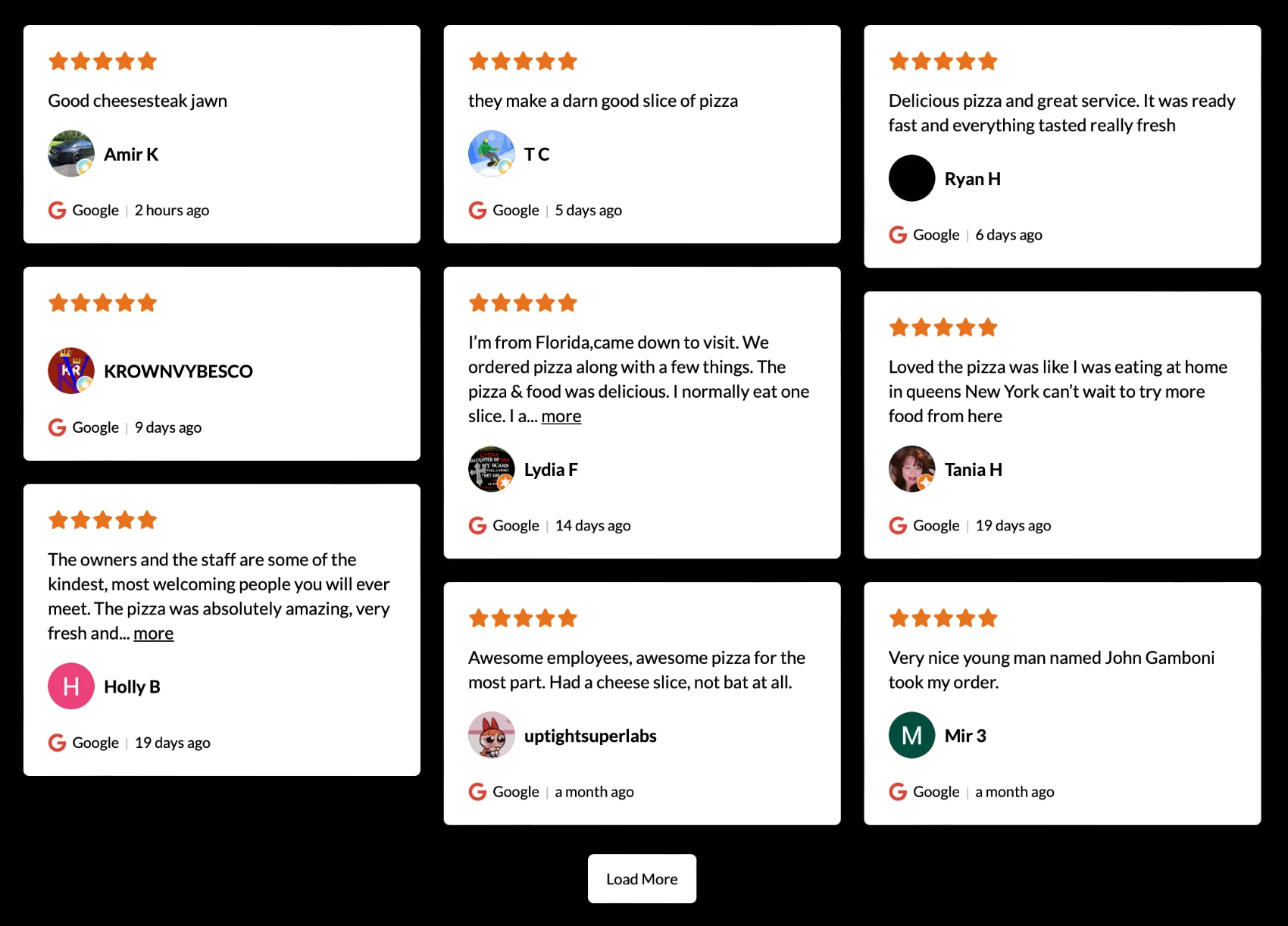
6. Display reviews on your website
We showcase your best reviews on your site with a widget that refreshes itself as new ones come in.
What your customer sees
Leaving a review takes one tap
No app, no login, no hunting for the right page. The whole thing happens on their phone in under a minute, and it stays fully compliant with Google's guidelines.
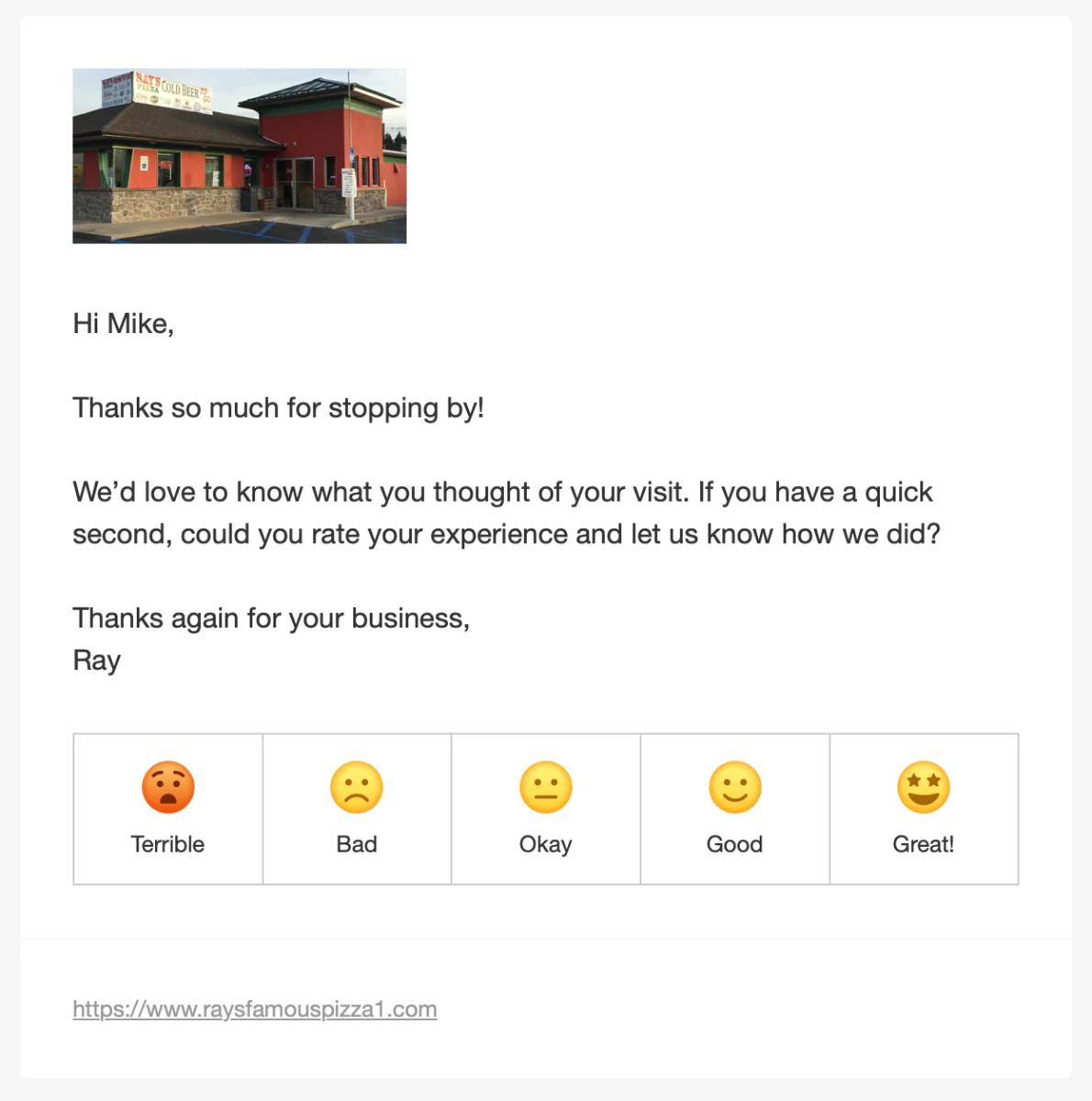
It starts with a friendly ask
Soon after their visit, your customer gets a short, personal message asking how things went, sent by email or SMS under your name. One tap on a rating takes them into the flow.
Or a tap at the counter
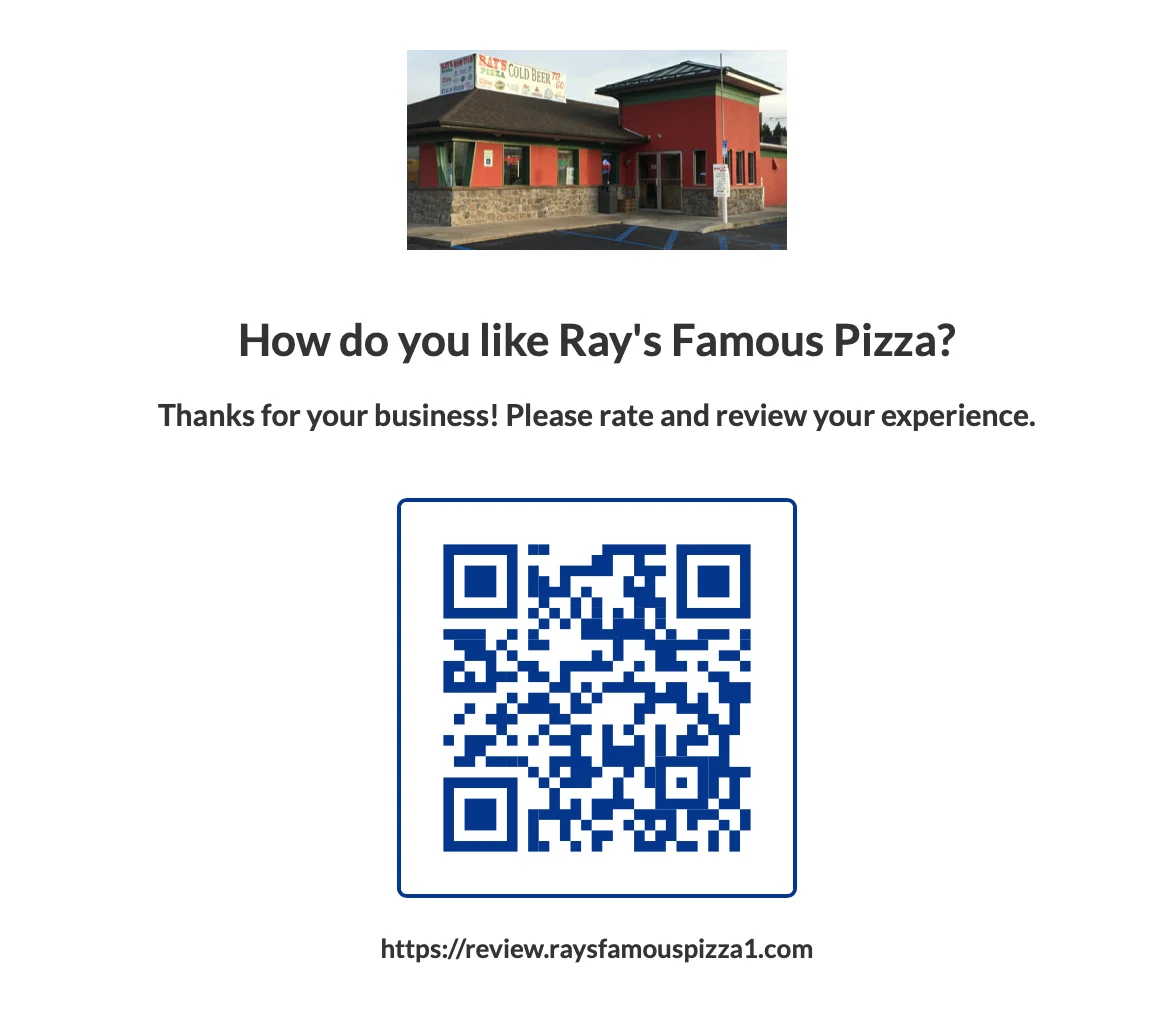
For walk-in spots, the same rating lives on a branded kiosk page you can leave on an iPad or digital signage. Customers scan the QR code or tap it right there before they head out.
One tap to rate
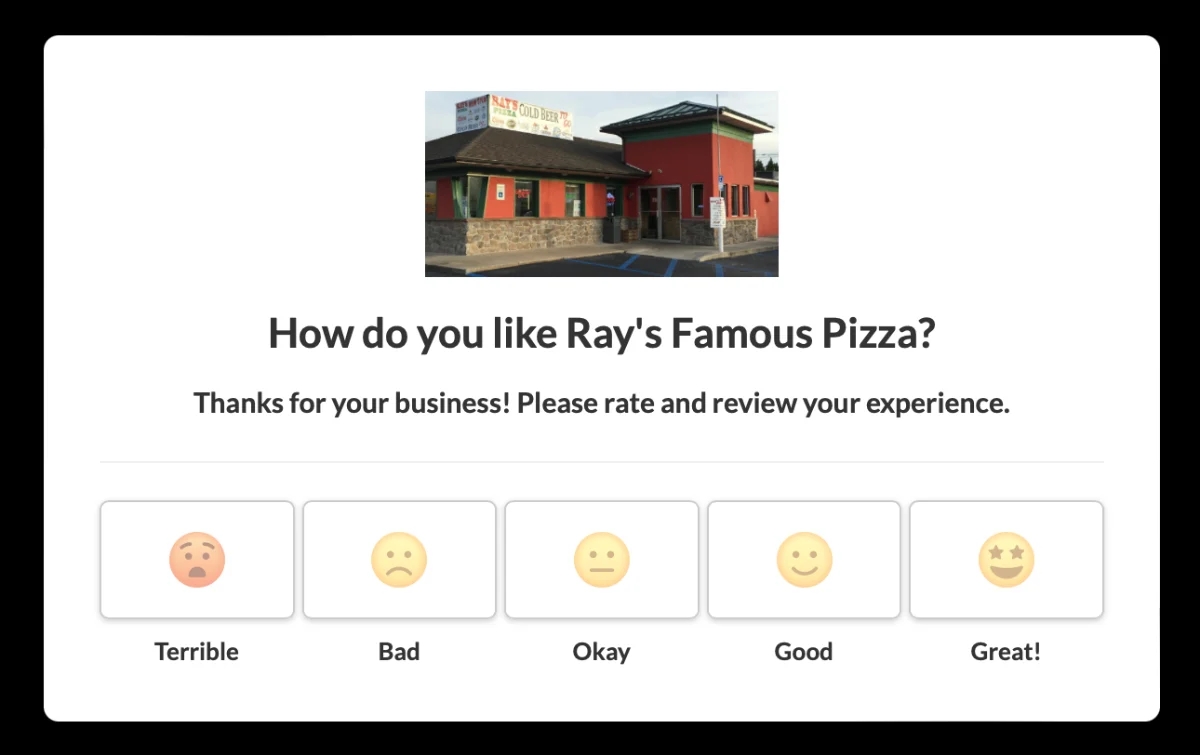
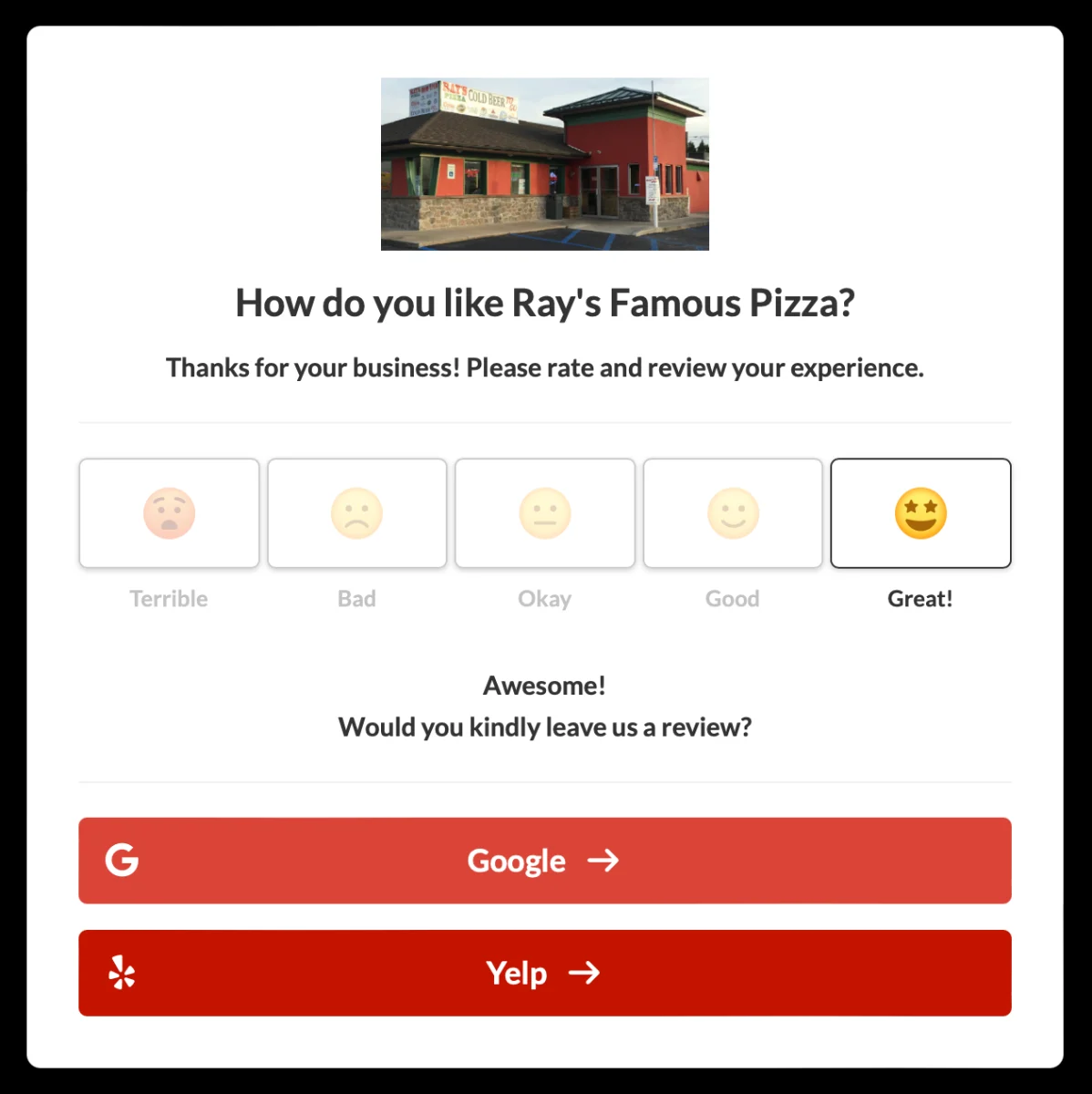
They land on a clean page branded with your name and photo, then rate their experience from Terrible to Great with a single tap. That one tap decides what happens next.
Happy customers post in public
A positive rating sends them straight to Google or Yelp to leave a public review while the experience is still fresh. This is what steadily grows your 5-star count.
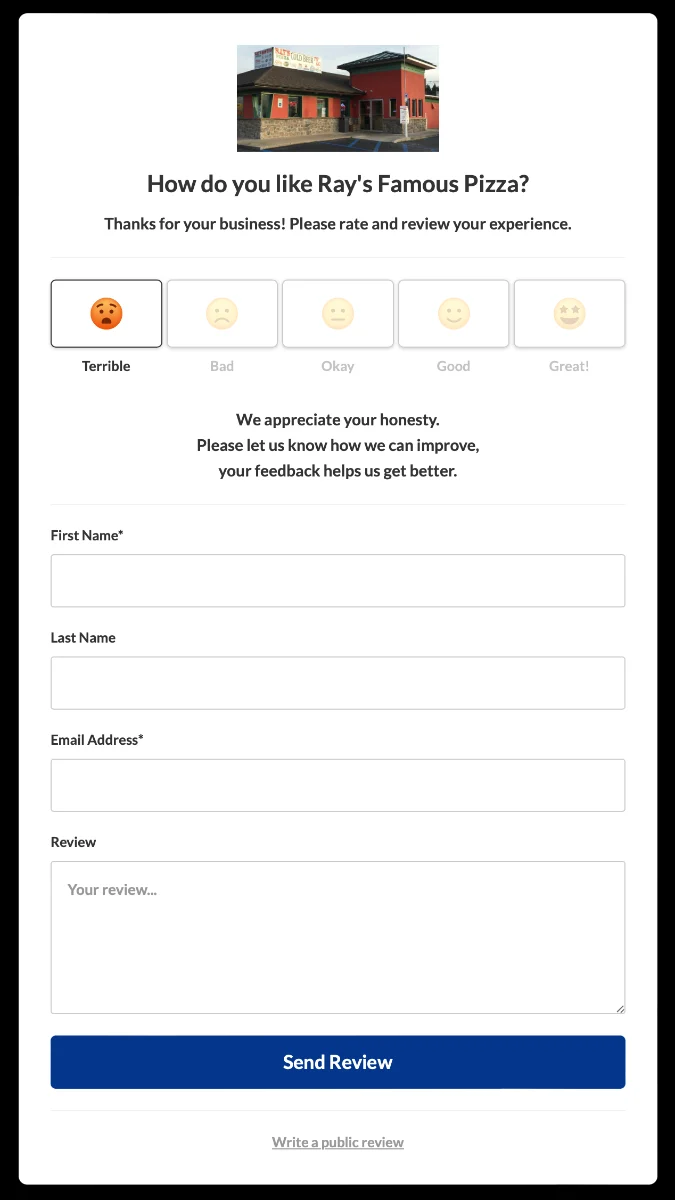
Unhappy customers reach you privately
A lower rating opens a private feedback form instead. The message comes straight to us so we can make it right before it ever becomes a public one-star review. It stays Google-compliant too: the option to post a public review is always there at the bottom.
What you get back
And it all comes back to you
While your customers leave reviews, you get a clear picture of what is happening and the tools to show it off.
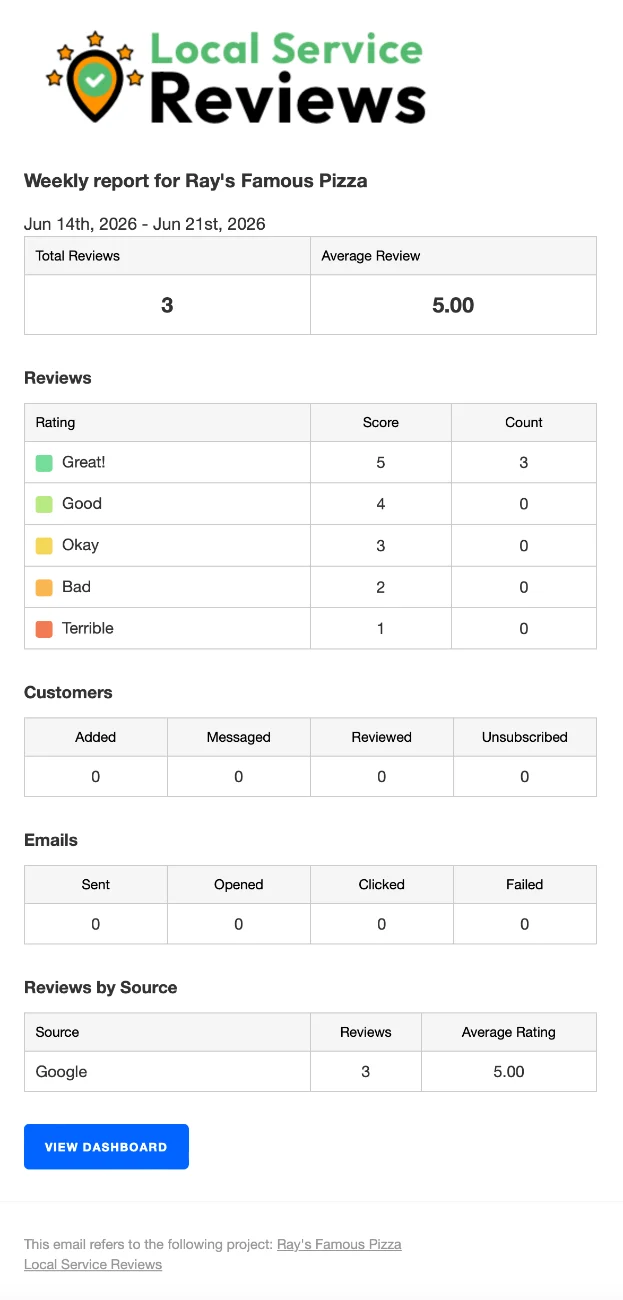
A report in your inbox
A simple weekly summary shows new reviews, your average rating, and a breakdown by source, so you can watch your reputation improve without logging in anywhere.
Your reviews, on display
Embed a live review wall on your existing site. It refreshes on its own as new reviews come in, so your site always shows your latest reputation.